Playing is simple
- Access the game by texting the word PIRATES to the number DISNEY (347639) or simply enter www.PiratesOnline.com into your mobile phone Web browser.
- If you have a Web enabled phone with a data plan, you can click the URL in the text message you receive or directly from the Web address you enter in your mobile phone Web browser.
- Log in using your PiratesOnline.com Account ID and Password and follow the on-screen instructions.
- Select Mobile Adventure then select Missions to begin.
|
- {|
|

|
Game Tip: You do not need to log in to enjoy Cannons of the Deep. Just be warned - gold and treasures earned in the mobile game will not be saved without a Pirates Online account.
|}

After you've logged in, you can check your Pirate's status for the online game or transfer gold you earned in the mobile game to your online account. The "My Ship" button lets you upgrade cannons, hull types or figureheads to improve your battle skills. You can also make repairs to your ship, if need be.
Missions
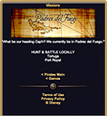
Explore one of three islands: Port Royal, Tortuga or Padres del Fuego. You can patrol for gold and loot or go straight to a battle with enemy or merchant ship. There are also mini-games that earn you small amounts of gold by directing your ship to different islands or you can change locations to access different ship upgrades and treasure drops.
Ship-to-Ship combat
Once you decide to go on some seafaring missions, you have the choice to "Hunt & Battle Locally" or head off to other ports. Battle Locally means you're ready to do battle with an enemy ship or plunder a rich Merchant vessel. Once you make this selection, a new screen will tell of your ship's status. If you're in perfect condition - get ready to battle. If you're in need of repairs, it would be best to make those repairs before attacking.
Attack
Will get you the most gold, but, it might be wise to use other methods to win the day and stay afloat.
Parlay
Will garner less rewards but no damage to your ship will be sustained.
Let the Crew Handle it
If you are confident in your crew members, select this option but don't be upset if your ship is lost.
Flee Battle
It may be wise to show your lily-livered side and flee from an enemy. If your ship is damaged, it's best to choose this option and avoid sinking into the ocean's depth.
Combat
Firing upon a ship is a matter of selecting the right cannon angle. Too much and you get a message that it went flying over the deck - too little and your shot went into the drink. Adjust your angle using the numeric keypad on your phone and shoot again. Hopefully, you'll sink 'em on this round! You can also select the firepower you want to use. When the battle has ended, you'll be shown whether you've won or lost the day - and what damage your ship sustained.
Mini-Game Missions
Attacking is not the only way to play this game... you can travel to islands and earn pieces of gold by having your crew intimidate another ship into paying ransom not to be attacked. These are known as the Cannons of the Deep Mini-game missions. They are passive but still fun to play and can earn you fine rewards!
Pirates Online Connectivity
You can also check your status on the Pirates Online game. Check out the daily Leaderboards, survey your standings, transfer gold and other loot you've earned on the mobile game to your Online account. You can even see how many poker and blackjack hands you've won! It's another way to stay on top of your favorite online game, if you're at work, at home or commuting - anywhere you're without your computer but can get phone access - you can now stay abreast of your Pirates Online play instantly!


 |Game Tip: You do not need to log in to enjoy Cannons of the Deep. Just be warned - gold and treasures earned in the mobile game will not be saved without a Pirates Online account.
|}
|Game Tip: You do not need to log in to enjoy Cannons of the Deep. Just be warned - gold and treasures earned in the mobile game will not be saved without a Pirates Online account.
|}
 After you've logged in, you can check your Pirate's status for the online game or transfer gold you earned in the mobile game to your online account. The "My Ship" button lets you upgrade cannons, hull types or figureheads to improve your battle skills. You can also make repairs to your ship, if need be.
 Explore one of three islands: Port Royal, Tortuga or Padres del Fuego. You can patrol for gold and loot or go straight to a battle with enemy or merchant ship. There are also mini-games that earn you small amounts of gold by directing your ship to different islands or you can change locations to access different ship upgrades and treasure drops.